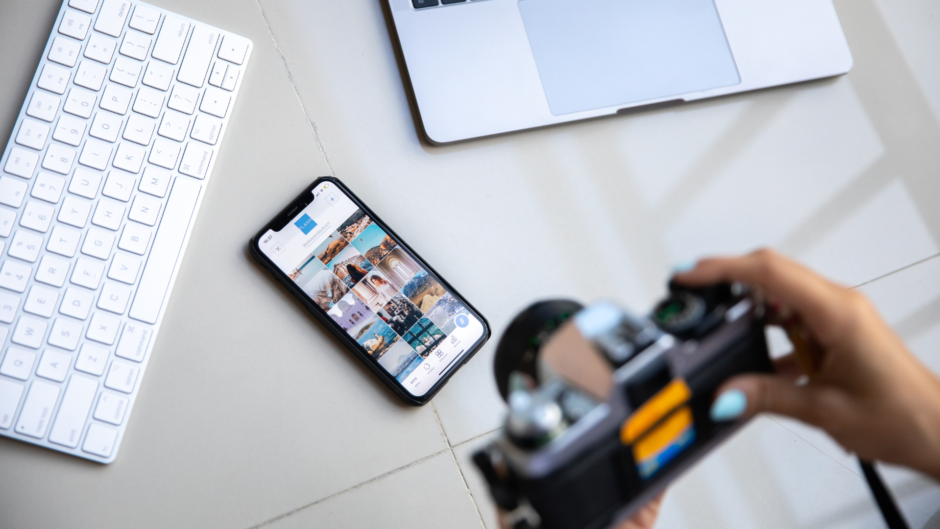
Editing photos without fancy software is entirely possible and can yield impressive results. Many user-friendly online tools and mobile applications offer powerful editing features that can enhance images without the complexity of professional software. These alternatives can cater to casual users and those seeking quick fixes or creative adjustments.
For anyone looking to improve their photos, basic adjustments like cropping, brightness, and contrast can make a significant difference. Free platforms often provide filters and effects that suit various styles, enabling anyone to create visually appealing images effortlessly.
With the right tools at their disposal, individuals can explore their creativity and produce stunning visuals, all while bypassing the steep learning curve of sophisticated software. Leveraging these accessible options opens the door to a world of editing possibilities.
Getting Started with Basic Photo Editing
Basic photo editing involves several key actions that can significantly improve an image. Understanding formats, resizing, and making simple adjustments are fundamental skills for anyone looking to enhance their photos effectively.
Understanding Photo Formats and Resizing Images
Photos can come in various formats like JPEG, PNG, and GIF. Each format has its strengths: JPEG is great for photographs, whereas PNG is better for images with transparency.
Resizing images is crucial for web use. For instance, reducing an image’s width and height can improve loading times. Common dimensions for the web are 800×600 pixels or 1200×800 pixels.
Steps for resizing:
- Open the image in an editing tool.
- Locate the resize option.
- Enter the desired dimensions based on the format and intended use.
Cropping and Rotating for Better Composition
Cropping helps remove unnecessary elements and focuses the viewer’s attention. By trimming the edges, one can create a more balanced composition.
To crop, select the crop tool in the editing software and drag it around the area of interest. Common aspect ratios include 4:3 and 16:9, depending on whether the image is for print or digital display.
Rotating can correct images that are tilted. It’s as simple as choosing the rotate option and aligning the image to a desired angle. This adjustment can enhance the image’s overall clarity and composition.
Adjusting Brightness, Saturation, and Contrast
Adjustments can greatly affect the visual appeal of an image. Brightness controls the lightness or darkness, while saturation adjusts the vividness of colors.
To increase brightness, one can slide the brightness control to the right. For saturation, moving the slider can make colors pop more or appear muted.
Contrast is key for depth. Increasing contrast will amplify differences between light and dark areas, enhancing details often lost in flat images.
Tips for adjustments:
- Use small increments to avoid over-editing.
- Check the image at 100% zoom to see actual changes.
These basics establish a strong foundation for anyone seeking to edit photos without advanced software.
Enhancing Photos with Filters and Effects
Filters and effects are essential tools for anyone looking to elevate their photos without complicated software. By manipulating basic settings, one can achieve dramatic changes to the overall look of an image, making it more engaging and visually appealing.
Applying Filters for Quick Style Changes
Filters can instantly transform the mood of a photo. Many free and accessible apps provide a variety of filters that enhance colors and contrast.
Common filter types include:
- Vintage: Adds a soft, nostalgic tone.
- Vibrant: Increases saturation for a lively effect.
- Monochrome: Converts images to black and white for dramatic impact.
Choosing the right filter depends on the subject matter. A soft filter may work well for portraits, while vibrant filters are suitable for landscapes. Users can often adjust the intensity for personalized results.
Adding Text and Graphics to Images
Incorporating text and graphics enhances storytelling in an image. Many photo editing apps offer user-friendly features for adding and customizing text.
When adding text, consider:
- Font Style: Select a font that complements the image.
- Color Contrast: Ensure text stands out against the background.
- Placement: Position text where it enhances, rather than obstructs, the main subject.
Graphics such as icons or shapes can amplify a message or theme. Subtle effects like shadows and outlines can add depth without overwhelming the photo.
Creative Effects: Blur, Bokeh, and Black and White
Utilizing effects like blur and bokeh can create stunning results. Blur can be applied selectively to emphasize the subject by softening the background. This draws attention and adds depth to the photo.
Bokeh is the aesthetic quality of the out-of-focus areas. It can beautify photos by creating soft light circles that emphasize the main subject.
Black and white effects remove color distractions, allowing the viewer to focus on texture and composition. Adjusting contrast and brightness can make monochrome images more dramatic and impactful. These techniques open possibilities for creativity in photo editing.
Advanced Editing Techniques
Photo editing can be enhanced through specific advanced techniques that allow for greater creativity and precision. By mastering these skills, individuals can produce polished images even without expensive software.
Retouching Portraits and Removing Backgrounds
Retouching portraits often involves smoothing skin tones and enhancing features. Simple adjustments can be made by using tools like clone stamps and healing brushes to remove blemishes and imperfections. This practice enhances the overall quality of the image while preserving the subject’s natural look.
To effectively remove backgrounds, tools like online background removers can be quite handy. Users can easily select and delete backgrounds, leaving a clean subject. Adjusting edge details improves the final result, making subjects pop in various contexts.
Utilizing Layers and Blend Modes for Complex Edits
Working with layers enhances the editing process by allowing individual elements to be modified separately. This technique gives more control over adjustments such as colors, textures, or effects without affecting other parts of the image.
Blend modes provide a powerful way to experiment with how one layer interacts with another. Common blend modes like Multiply or Screen can dramatically alter the look of an image, facilitating creative experimentation. Combining these techniques can result in intricate designs that stand out.
Working with AI Tools for Design and Creativity
AI tools have revolutionized the editing landscape, providing innovative ways to enhance images. Generative AI tools can create backgrounds or fill in details, making them useful for quick adjustments. For example, AI can automatically remove backgrounds or suggest complementary color schemes.
Generative AI can also assist in expanding images, allowing users to modify the composition effectively. By leveraging these intelligent design tools, editors can streamline their workflow and achieve a high level of creativity with minimal effort.
Finding the Right Tools for You
Selecting the right tools for photo editing can significantly impact the final results. Various free online photo editors offer different features that cater to specific needs. Understanding the options available helps users make informed decisions.
Free Online Photo Editors and Their Features
Numerous free online photo editors provide a range of features that can meet various editing needs. Popular tools include:
- Canva: Known for its user-friendly interface and access to templates, it is suitable for both beginners and experienced users.
- Fotor: Offers a robust set of editing tools, including filters, frames, and text addition.
- Pixlr: Provides advanced features like layers and a variety of brushes, appealing to those looking for more control.
- Photopea: Mimics Photoshop’s interface, allowing for complex editing without the need for installation.
Each editor has unique attributes, allowing users to find options that align with their requirements, whether for personal use or business needs.
Comparing Online Tools vs. Standalone Photo Editing Software
When evaluating online tools versus standalone photo editing software, various factors come into play. Online editors generally require no installation and can be accessed from any device with internet connectivity.
Benefits of Online Editors:
- Accessibility from anywhere
- No need for high system performance
- Often free or low-cost options
Drawbacks:
- Dependent on stable internet
- May have limited advanced features compared to software
Standalone software, like Adobe Photoshop, offers in-depth editing capabilities but comes with a cost. It typically requires a more powerful machine and may involve a learning curve. Users should weigh these considerations to determine the best fit for their photo editing tasks.